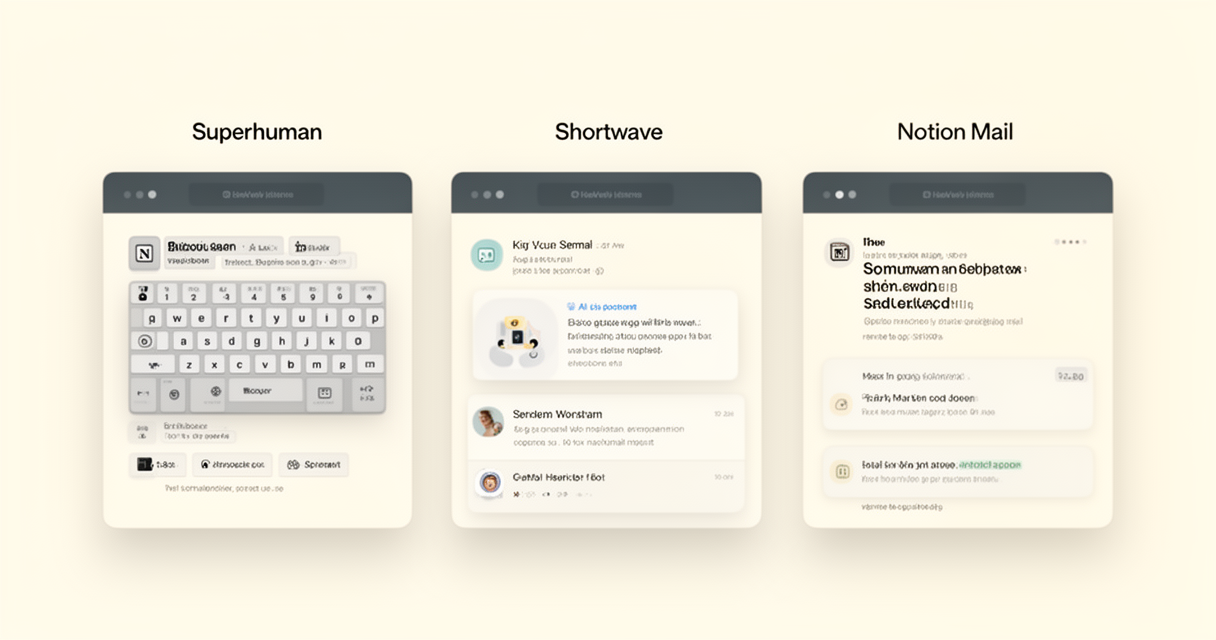
If you’ve been told to “let AI handle your inbox,” you’ve almost certainly been pointed at one of three names: Superhuman, Shortwave, or Notion Mail. The pitch in 2026 sounds identical across all three — triage your inbox, draft your replies, search your entire history in plain English, get an hour or two of your week back. The pitch is not what’s true.
These tools are not in the same category. One of them only works on Gmail. One of them only ships in a Grammarly bundle now. One of them has no mobile app. Two of them are betting their roadmap on directions that have nothing to do with email. The honest comparison is less “which is best” and more “which one fits the provider you’re stuck with, the subscriptions you already pay for, and the amount of your private correspondence you’re willing to hand to a third party.”
This is that comparison. Pricing is current as of June 2026 and pulled from the vendors’ own pricing pages. Quotes are from the knowledge workers actually paying these bills.
What changed in 2025-2026 (and why most comparisons you’ve read are out of date)
Three shifts matter before you read any review:
-
Grammarly acquired Superhuman in October 2025. The standalone “Starter” tier most older reviews describe is gone for new users. Superhuman Mail is now only available as part of the Superhuman Suite, which bundles Grammarly Pro, Coda, and a chat assistant called Superhuman Go whether you wanted them or not. Effective entry price for new buyers is $33/user/month (annual) or $40/month (monthly). (Superhuman plans)
-
Notion retired the $10/month standalone Notion AI add-on in May 2025. As of 2026, full Notion AI is bundled only into the Business plan at $20/user/month (annual) and Enterprise. Free and Plus plans get a limited AI trial only. Notion Mail itself is free; the AI that makes Notion Mail interesting is not. (Notion pricing)
-
Shortwave introduced Pro, Personal, and Business tiers with annual billing in 2025, then publicly began shifting attention away from email as its core product. The tool still works. The roadmap doesn’t move like it used to. (Shortwave pricing)
Every “Shortwave vs Superhuman” piece written before Q4 2025 is now reviewing yesterday’s products.
At a glance: how the three actually compare
| Superhuman Suite | Shortwave | Notion Mail | |
|---|---|---|---|
| Starting price | $33/user/mo (annual) | Free; Personal $7/mo (annual) | Free |
| AI-included tier | All paid tiers | Personal $7 (limited), Pro $14 (full) | Notion Business $20/user/mo (annual) |
| Real top-tier cost | $33-$40/user/mo | $24/seat/mo (Business) | $20/user/mo + (any Notion AI usage) |
| Email providers | Gmail + Outlook | Gmail + Google Workspace only | Gmail only |
| Mobile apps | iOS + Android | iOS + Android | None |
| AI approach | Mostly automatic (Auto Archive, Instant Reply) | Mixed — Search auto, Ghostwriter prompted | Mostly prompted |
| Best at | Speed + keyboard-first inbox | Natural-language search across years of mail | Notion-native team workflow |
| Headline dealbreaker | Bundled with Grammarly; AI drafts feel generic | Gmail-only; roadmap focus has moved | Gmail-only, no mobile, AI is a separate bill |
Pricing sources: Superhuman plans, Shortwave pricing, Notion pricing.
Superhuman: speed first, AI second, Grammarly third
What Superhuman has always been good at is keystrokes. The keyboard shortcuts are tight, search is fast, Split Inbox lets you isolate VIP threads from newsletter noise, and the apps are native everywhere — Mac, Windows, web, iOS, Android. Crucially for corporate users, Superhuman is the only tool in this comparison that works with Outlook. If your employer locked you into Microsoft 365, your other two options here do not exist.
The 2025 Grammarly acquisition changed the commercial picture more than the product picture. The standalone Starter tier is gone for new buyers. Today you buy the Superhuman Suite at $33/user/month annual or $40/user/month monthly, which forces you to take Grammarly Pro, Coda, and Superhuman Go alongside the inbox. If you were already paying Grammarly Pro at roughly $15/month, the bundle is a near wash. If you weren’t, you’re now paying for features you may never open.
The AI layer is where the value proposition cracks. A small-firm general practitioner posted his 2026 tool stack on r/Lawyertalk and was blunt:
“Superhuman gets a lot of attention because the interface is genuinely beautiful and the keyboard shortcuts are great if you’re an inbox speed-runner. The problem is the AI doesn’t work. The drafts come out generic, the triage is shallow, and you’re paying $30/month for what amounts to a fancier Gmail.”
— u/JurisAtlas, r/Lawyertalk, May 2026
A solo SaaS founder writing on r/Entrepreneurs landed the same way:
“The interface is lovely and the shortcuts are fast, but the AI underneath is shallow and the drafts come out generic. You’re paying a premium for a Gmail that looks nicer.”
— u/SaaSAtlas, r/Entrepreneurs, June 2026
Pick Superhuman if: you live in Outlook (no real alternative on this list), you genuinely want the keyboard-driven speed-runner experience, or you were going to buy Grammarly Pro anyway and the bundle math works.
Skip it if: you wanted the AI to do real work on volume. The triage and drafts in 2026 do not match the marketing.
Shortwave: the deepest AI, the narrowest provider, the drifting roadmap
Shortwave is the strongest AI inbox of the three if you can use it. It indexes your entire Gmail history and lets you search it in plain English (“what did the agency quote me on the rebrand?”). Its Ghostwriter learns your tone from your sent folder over roughly a week and then drafts replies that sound like you. Pro tier gets you three accounts; Business adds shared inboxes and admin controls. Pricing is the cleanest of the three:
- Free — basic AI assistant
- Personal — $7/mo annual ($8.50 monthly). Gmail and .edu accounts only.
- Pro — $14/mo annual ($18 monthly). Full AI features, three email accounts. The plan most individual knowledge workers should evaluate.
- Business — $24/seat/mo annual ($30 monthly). Shared inboxes, admin, priority support.
The big constraint is in the URL of the pricing page. Shortwave is Gmail and Google Workspace only. No Outlook. No IMAP. No iCloud, no Fastmail. If your work email is on Microsoft 365, Shortwave is not for you, no matter how good the AI is.
The other constraint is harder to see. Two separate practitioners writing in 2026 — one a small-firm lawyer rebuilding a stack from scratch, the other a solo SaaS founder — independently flagged that Shortwave has visibly stopped investing in email as its core focus.
“Shortwave was the strongest competitor in this space a year ago. Their Ghostwriter and AI search were genuinely good. The reason I’m not recommending it now is that they’ve publicly pivoted away from email as their core focus and stopped building meaningful new features in this space.”
— u/JurisAtlas, r/Lawyertalk, May 2026
“Shortwave was the best in this category a year ago, but they’ve publicly moved their focus off email, and I won’t build my whole customer layer on something the company stopped investing in.”
— u/SaaSAtlas, r/Entrepreneurs, June 2026
That doesn’t mean Shortwave breaks tomorrow. The product is fine today, and on a per-month basis it’s the most AI you can buy for your inbox. It does mean you should not commit a five-year workflow to a tool whose maker is publicly looking elsewhere.
Pick Shortwave if: you’re a Gmail or Workspace solo or small team and you want the deepest natural-language search and the best draft-in-your-voice AI on the market right now. The Pro tier at $14/mo is the value pick.
Skip it if: you’re on Outlook, IMAP, or iCloud — it simply doesn’t run there. Or if “this company will still care about email in 2028” is a hard requirement.
Notion Mail: free entry, paid-on-the-back-end AI, no mobile
Notion Mail moved out of beta in 2025 and is now bundled into every Notion plan, including Free. The interface follows the Notion design language — blocks, slash commands, clean typography — and clips onto Gmail. The AI features (smart labels, AI-drafted replies, inbox sorting via natural language) feel like the rest of Notion’s AI feature set, because they are.
The pricing reality is the part most reviews skip. The Mail app is free. The AI that makes Notion Mail interesting is not. Notion retired its standalone $10/month Notion AI add-on in May 2025 and rolled the full AI feature set exclusively into the Business plan at $20/user/month (annual) and Enterprise. Free and Plus plans now ship only a limited AI trial. So the real cost of “Notion Mail with AI” for a new team is the Business plan upgrade — about $240/user/year — which is roughly the same as Shortwave Business and ~40% less than Superhuman Suite.
The platform limits are stricter than either competitor:
- Gmail only. No Outlook. No IMAP.
- No native mobile app. You can use Gmail’s mobile app, but you lose the Notion Mail interface and AI features on the go.
- Performance. Multiple 2026 reviews flag slow loading and typing lag — the same complaints Notion users know from large docs.
There is exactly one scenario where Notion Mail is a no-brainer: your team already pays Notion Business, lives on Gmail, and works on the desktop. The AI you’re paying for already covers your inbox. The Notion-mail-as-extension-of-our-workspace pitch is real for that buyer.
Outside that scenario, the math gets harder. If you don’t already pay Notion AI, you’re spending Business-plan money to get a slower AI inbox than Shortwave Pro at $14/month. And if you care about Notion AI’s docs and database features for their own sake, the Mail app is a nice extra, not the reason to buy.
Pick Notion Mail if: you’re already on Notion Business + Gmail and the desktop is your primary work environment.
Skip it if: you’re not already paying for Notion AI, you need Outlook or mobile, or speed of the client itself matters.
The honest math: hours saved vs total stack cost
The standard pitch for any of these tools is “save four hours a week.” Run the inverse calculation, because that’s the one your boss won’t.
At a $50/hour knowledge-worker rate:
- Shortwave Personal ($7/mo) breaks even at about 8 minutes saved per week.
- Shortwave Pro ($14/mo) breaks even at about 17 minutes per week.
- Notion Mail (via Business at $20/mo) breaks even at about 24 minutes per week.
- Superhuman Suite ($33/mo) breaks even at about 40 minutes per week (or more if you wouldn’t have bought Grammarly).
All four are achievable. None of these tools are scams on a pure time-saved basis if you actually use the AI features. The honest question is not whether they save time. It’s whether they solve the problem.
If your inbox is unmanageable because your boss generates 200 emails a day, none of these tools change that. The volume is upstream. A r/Lawyertalk commenter put it plainest:
“I went back to Gmail with cmdk, because I didn’t want to pay for Superhuman anymore.”
— u/wahmudijiwah, r/Lawyertalk, May 2026
The deeper unlocks are not in your email client. They are in checking the inbox less often (consider site blockers like Freedom or Opal to enforce check windows), pushing actions out of email into a dedicated daily planner like the ones we compared in Akiflow vs Sunsama, and replacing “let’s find a time” threads with AI calendar tools like Reclaim and Motion. An AI inbox that triages noise is useful. An inbox you don’t open until 11am is transformative.
The privacy ledger nobody quotes
All three tools send the content of your email to a third party for AI processing. This is not a secret, but it’s also not on the homepage. A privacy-conscious founder on r/ProductivityApps named the trade-off out loud:
“I’ve tried Superhuman, Shortwave, and all the new AI wrappers, and they actually do help with the mental load. Having a tool tell you ‘This is a recruiter’ or ‘This is an urgent business action’ without you opening the mail is a game changer for ADHD/burnout. But there’s a massive catch that nobody talks about: the privacy trade-off. To give you those ‘smart’ summaries, most of these SaaS tools are literally sucking your entire inbox history onto their servers.”
— u/Ok-Call3510, r/ProductivityApps, May 2026
Shortwave is the most explicit — its natural-language search across your archive only works because that archive is indexed on its infrastructure. Superhuman’s draft AI runs server-side. Notion Mail’s AI runs through Notion AI, which routes to Anthropic and OpenAI per Notion’s published sub-processor list. If your inbox contains client privilege, NDA-bound terms, regulated PHI, or anything you’d rather a foundation-model provider not see, this isn’t paranoia. It’s a real consideration, and the same logic applies to AI meeting note-takers like Granola.
Per-profile verdict
| Profile | Pick | Why |
|---|---|---|
| Gmail solo founder / consultant | Shortwave Personal ($7/mo) | Best AI-to-dollar ratio on Gmail. Search alone is worth it. |
| Outlook corporate employee | Superhuman Suite | Only one of three that runs on Outlook. Live with the bundle. |
| Notion-heavy team already on Business | Notion Mail | AI is already paid for. Free inbox layer on top. |
| ADHD / burnout knowledge worker | Shortwave Personal | The triage labels are the unlock. Cheap entry. |
| Privacy-first (law, health, finance) | None of them | Stick with native Gmail or Outlook + a hardware key. The risk-reward doesn’t work. |
| Team of 5-20 | Shortwave Business ($24/seat) on Gmail, Superhuman Suite if your team is split Gmail/Outlook | Mixed-provider teams have one choice; Gmail-only teams get the deeper AI cheaper. |
FAQ
Does any of these work with iCloud or Fastmail?
No. Superhuman supports Gmail and Outlook only. Shortwave supports Gmail and Google Workspace only. Notion Mail supports Gmail only. iCloud, Fastmail, ProtonMail, and IMAP users are not served by any of these tools.
Can I still buy Superhuman standalone without the Grammarly bundle?
Existing pre-acquisition customers may be grandfathered. For new buyers as of 2026, Superhuman Mail is only available as part of the $33/month Superhuman Suite, which bundles Grammarly Pro, Coda, and Superhuman Go. (Superhuman plans)
Is Notion Mail’s AI free?
No. The Mail app is free as part of any Notion plan, but full Notion AI is bundled only into the Notion Business plan at $20/user/month (annual) and Enterprise. Free and Plus plans get a limited AI trial only. (Notion pricing)
Will Shortwave still be around in two years?
The company is well-funded and the product still works. Multiple practitioners flag that the founders have publicly moved focus off email as the core product. The product isn’t disappearing tomorrow, but if “this company is betting on email” is a requirement for you, factor it in.
Which has the best mobile app?
Superhuman, by default — it’s the only one of the three with full-featured iOS and Android apps. Shortwave has mobile apps but they trail the desktop experience. Notion Mail has no native mobile app at the time of writing.
How do they handle scheduling links?
Shortwave has the deepest native scheduling assistant of the three. Superhuman has basic scheduling. Notion Mail relies on Notion Calendar. For heavier scheduling needs, most knowledge workers pair any of these with AI calendar tools like Reclaim or Motion regardless of which inbox they pick.
Bottom line
There is no single winner here, and the comparisons that pretend otherwise are usually working backwards from an affiliate link. Match the tool to the constraint you can’t change:
- You can’t change your email provider. Outlook users buy Superhuman. Gmail users buy Shortwave or Notion Mail.
- You can’t change your team’s subscriptions. If you’re already paying Notion Business and live on Gmail, Notion Mail is free. Otherwise it isn’t.
- You can’t change the volume your boss generates. None of these tools fix that. The deeper productivity wins are upstream — fewer inbox checks, real task tools, AI scheduling, and the discipline to leave the inbox closed until you’ve done the work you were actually hired to do.
The AI inbox category is real, the tools are useful, and the right one for you is almost certainly cheaper than the marketing implies. Pick by constraint, not by hype.
References
- Superhuman Suite Pricing & Plans
- Shortwave Pricing
- Shortwave: New Pro, Business & Personal plans, and annual billing
- Notion Pricing Plans (Free, Plus, Business, Enterprise)
- Shortwave vs. Superhuman: Which is better? — Zapier (2026)
- u/JurisAtlas — Updated my “tools I actually use” list for 2026 (r/Lawyertalk)
- u/SaaSAtlas — Brutally honest review of the SaaS stack I run solo in 2026 (r/Entrepreneurs)
- u/Ok-Call3510 — AI email tools are great until you realize they’re reading your entire life (r/ProductivityApps)
- u/Medium-Yam-7677 — Openclaw alternatives for admin work (r/aiToolForBusiness)